PrivacyPal for desktop
Latest release v1.9.20

AI governance for Windows & macOS

Control which AI tools your team uses, govern data access, and redirect unauthorized AI, natively on every device. One installer, full coverage.

The PrivacyPal desktop app governing AI in real time
Downloads · v1.9.20

Native on both platforms

Windows 11

Run PrivacyPal on your PC with a full installer. Optimized for the Windows 11 experience.

64-bit .exe installer Windows 11
Install for Windows

PrivacyPal-Setup-1.9.20.exe

Or install via command line: PowerShell
>winget install PrivacyPal.AI

macOS

Native build for Apple Silicon Macs. Every M-series chip is supported.

.dmg installer M1–M5+ macOS 13+
Install for Apple Silicon

PrivacyPal-1.9.20-arm64.dmg

Why the desktop app

Governance at the system edge

The desktop agent sits where data actually leaks: beneath every browser, chat app, copilot and agent on the machine. Install once and every AI on the device is governed.

One-click install

One-click install for Mac and Windows. Zero configuration required out of the box. Protection starts the moment it's active.

Silent operation

Silent background operation with zero user friction. Automatic updates mean protection improves continuously.

Team deployment

Deploy to 100 devices from the admin dashboard. Average team deployment time is under 5 minutes.

100% on-device

Detection and interception happen locally: nothing is sent anywhere to be scanned. PrivacyPal never sees your unencrypted data.

Every major AI

ChatGPT, Claude, Gemini, Copilot and Grok (desktop apps and browsers), governed the moment the words are typed.

Agents & MCP too

Claude Code, Copilot agents, Hermes Agent and Private MCP calls: visible, logged and governed alongside your chat apps.

On your desktop

What it looks like in the wild

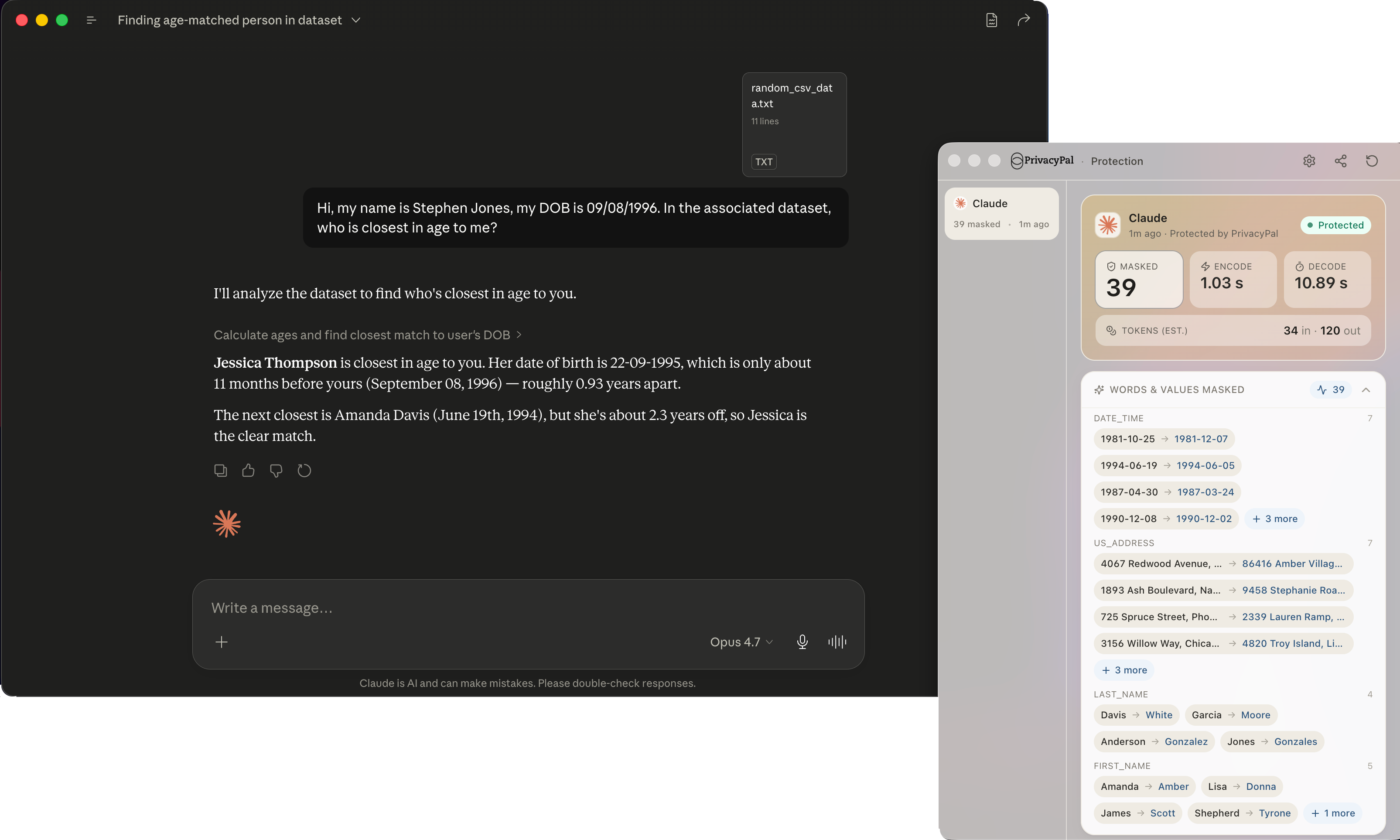
PrivacyPal governing a Claude desktop session

Chat apps, governed

ChatGPT, Claude, Gemini, Copilot and Grok: protected the moment the words are typed.

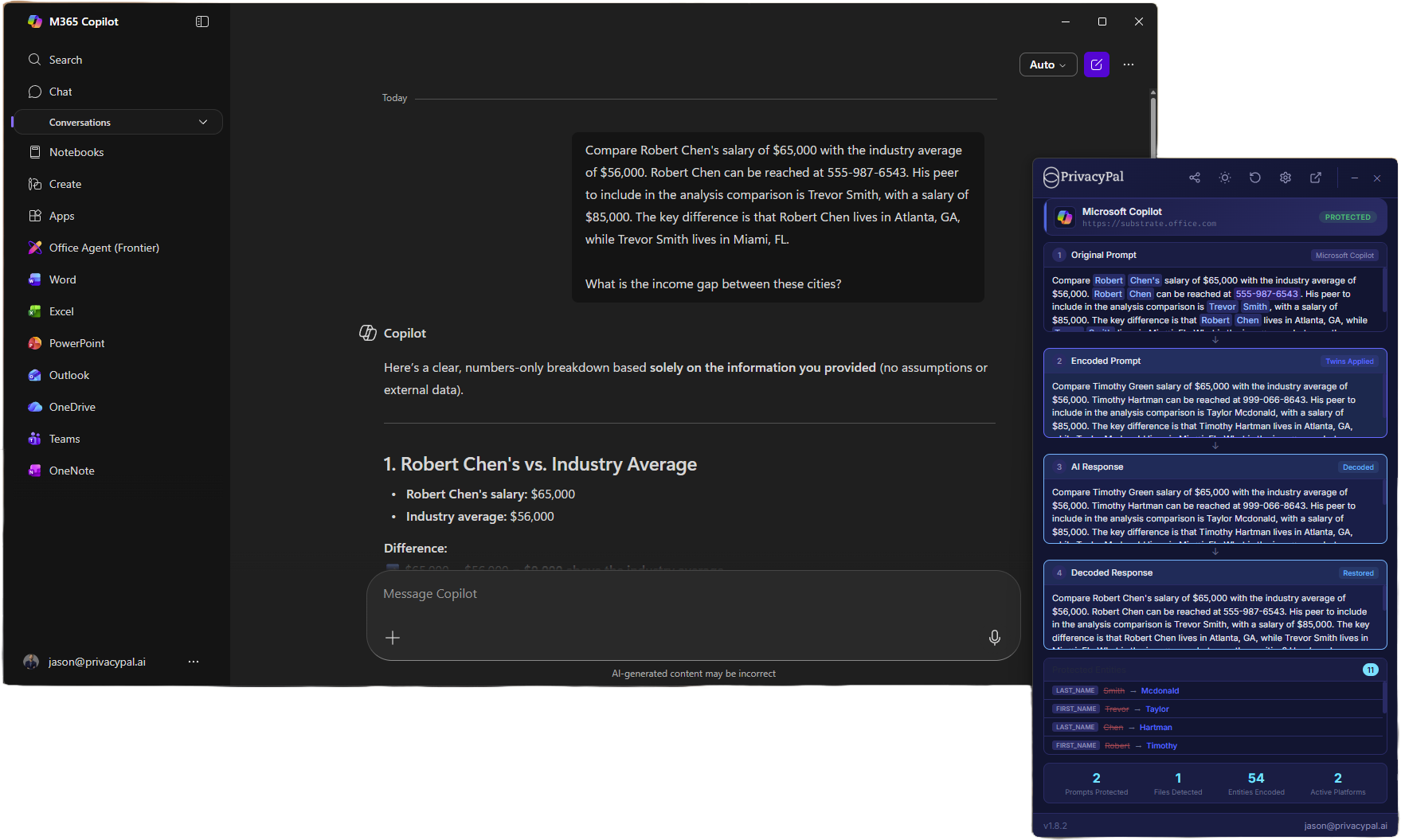
PrivacyPal processing a prompt before it reaches Claude

Privacy Twins in-line

Sensitive values are swapped for synthetic twins before the request leaves the machine.

The PrivacyPal activity feed

One pane of glass

Every interception logged: usage, shadow AI and agent calls in a single activity feed.

Before you install

Three things worth knowing

  • Close other AI apps if the installer prompts you. PrivacyPal hooks in at the system edge for full coverage.
  • Windows: run the installer as a user with permission to install applications; SmartScreen may ask you to confirm the publisher.
  • macOS: open the .dmg and drag PrivacyPal to your Applications folder. On first launch Gatekeeper may block the app. Right-click PrivacyPal in Applications and choose Open, then confirm to grant any privacy or accessibility permissions it requests.
Read the full install guide
Get the app

Govern every AI on every device

Download PrivacyPal v1.9.20 for Windows 11 or macOS and start governing the AI running in your business, in minutes.